 mobiCut
Docs › Help and questions
Report a bug or suggest a feature
Feedback goes to GitHub issues. You need a free GitHub account.
🐞 Report a bug 💡 Suggest a feature 👍 Vote on features
Bug reports
The form asks for two things that make a bug fixable:
-
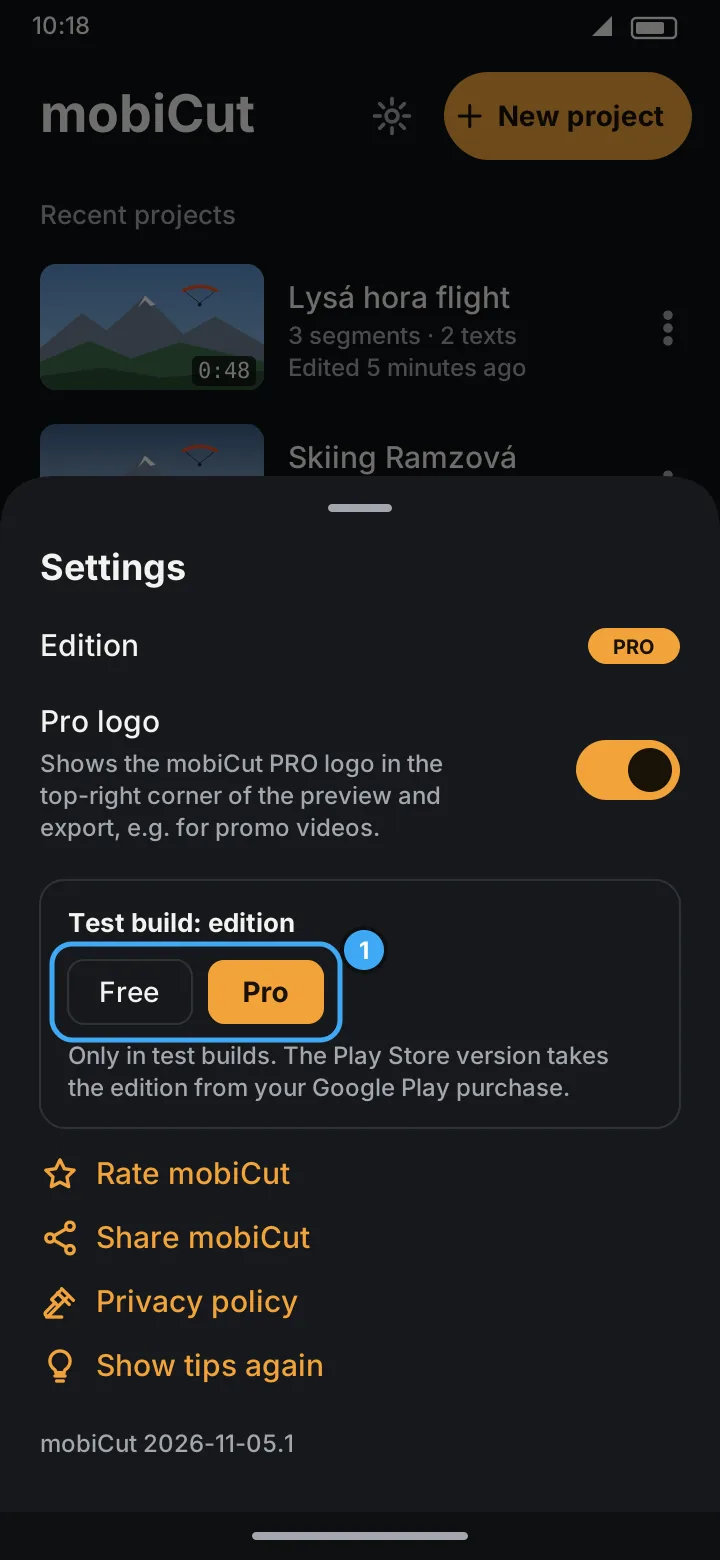
A screenshot of your version. On the start screen tap ⚙ Settings; the version is at the bottom (for example mobiCut 2026-11-05.1). Screenshot it and drop it into the form.
-
Steps to reproduce: exactly what you did, step by step, plus what you expected and what happened instead.
If the app crashed
When mobiCut closes unexpectedly, it shows mobiCut closed unexpectedly the next time you open it, with a report of the error. Tap Copy and paste the report into the bug form, together with what you were doing. The report is shown only once; it never leaves the phone unless you send it.
Feature requests
Describe what you'd like mobiCut to do and what it would help you with.
Voting
Vote with a 👍 reaction on the request (the smiley button under its description). The most wanted list is sorted by 👍, and that order helps decide what comes next. Please vote instead of opening a duplicate, and don't add "+1" comments.
What happens to a report or request
Every bug report and feature request carries exactly one status label, and moves through it like this:
| Status | Meaning |
|---|---|
| status: new | Not looked at yet |
| status: accepted | Planned for mobiCut; the issue stays open until it's released |
| status: rejected | Won't be done. The reason is in a comment, and the issue is closed as not planned |
| status: closed | Fixed or done, and released. The comment says in which build; the issue is closed as completed |
A bug goes new → accepted → closed once a build with the fix is out (or rejected, for example when it can't be reproduced). A feature request goes new → accepted → closed when it ships.
Closed and rejected issues stay readable. Search them before reporting, because the answer may already be there: closed bugs, rejected requests with reasons.
When a bug you reported is closed, the closing comment names the build with the fix. Update the app to get it.