 mobiCut
Docs › Get started
Projects
A project is one video plus everything you did to it. mobiCut saves projects automatically; the start screen lists them, newest first. (Before it, mobiCut briefly shows the welcome screen.)
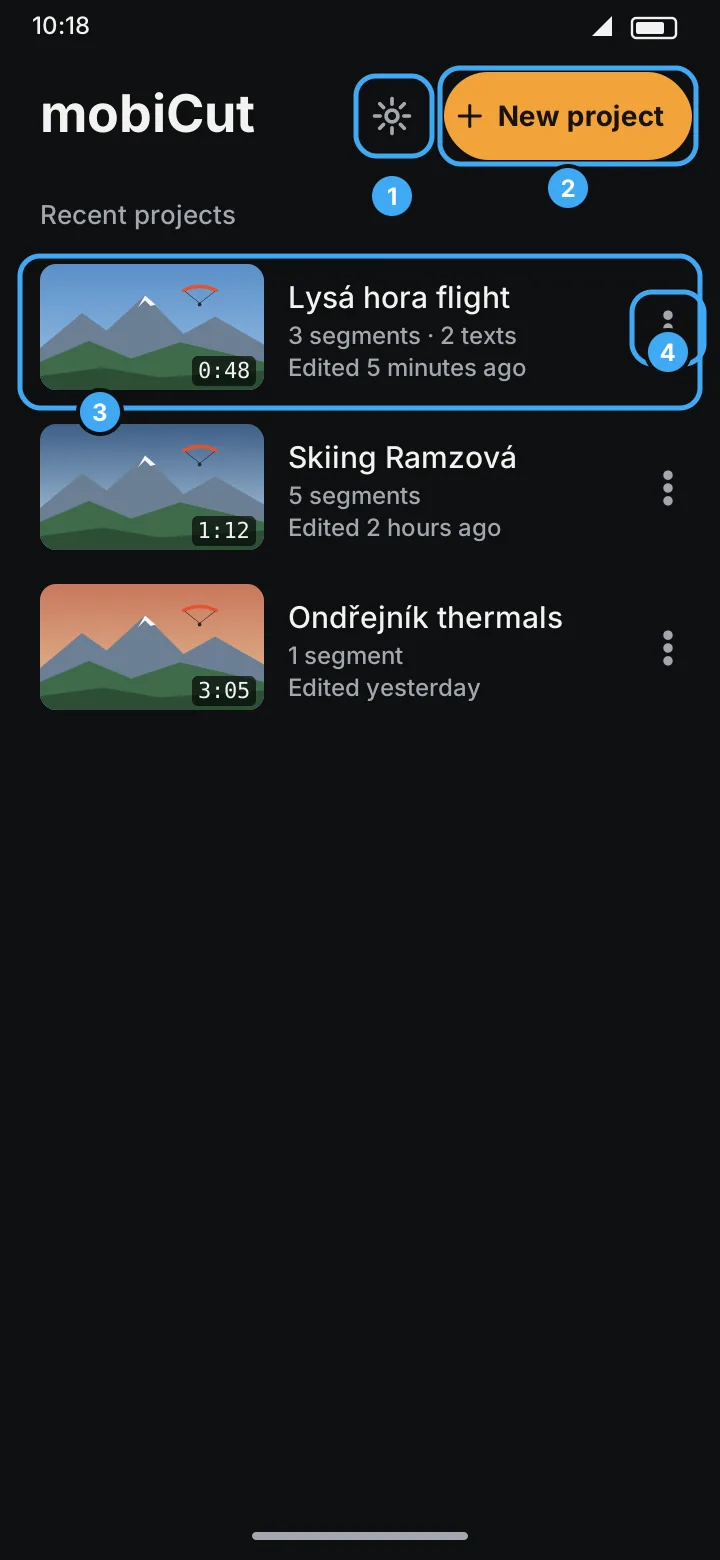
- Settings: edition, Rate mobiCut, Share mobiCut, Privacy policy, Show tips again (tips) and the app version.
- New project.
- A project: thumbnail, length of the finished video, number of segments and texts, when it was last edited. Tap to open.
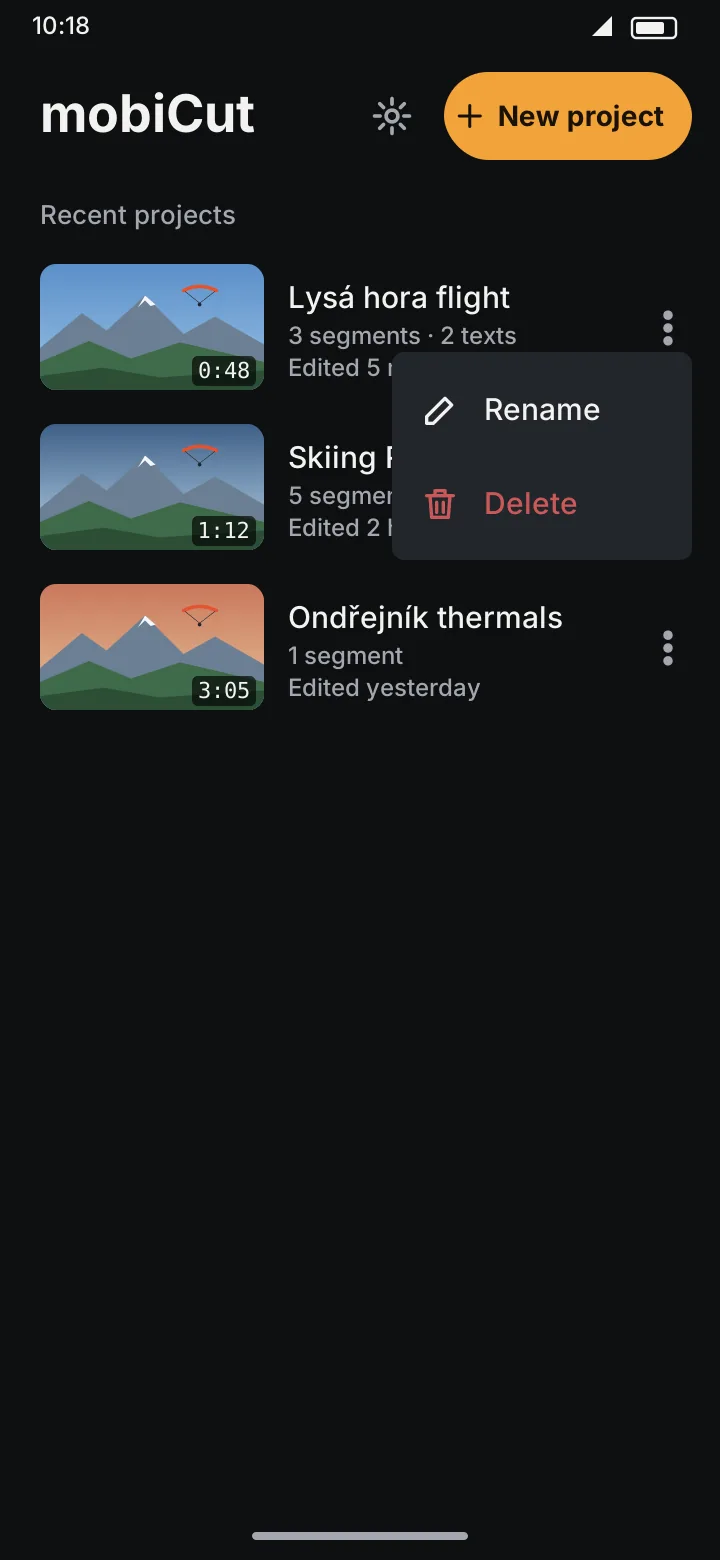
- ⋮ menu: rename or delete.
Start a new project
- Tap New project.
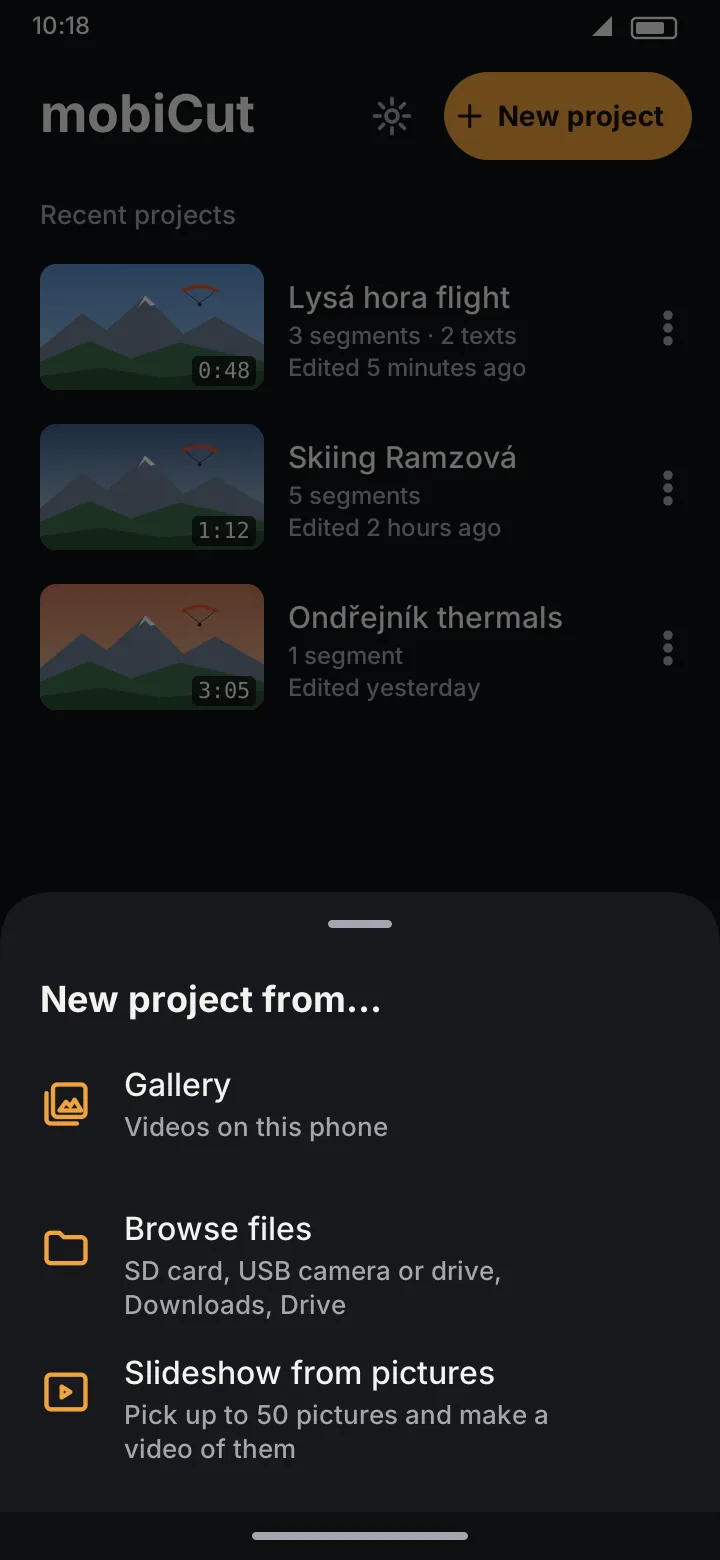
- Choose where the video is: - Gallery: videos on this phone. - Browse files: an SD card, a USB camera or drive, Downloads, Google Drive and other file providers. Use this for action cameras plugged in by USB. - Slideshow from pictures: up to 50 photos made into a video; see Slideshow.
- Pick the video. The editor opens with the whole video as one segment.
In the Free edition the source video can be up to 1 hour long. Longer videos need Pro.
You can also start from another app: in the gallery, Share a video and choose MobiCut.
Open a project
Tap it on the start screen. All your edits are as you left them. The playhead starts at the beginning of the video, or just after the fade-in if the video fades in at the start, so the preview doesn't open on a black frame. Press ← (or the phone's back gesture) to return to the list; nothing needs saving.
Rename a project
New projects are named after the video file. To rename:
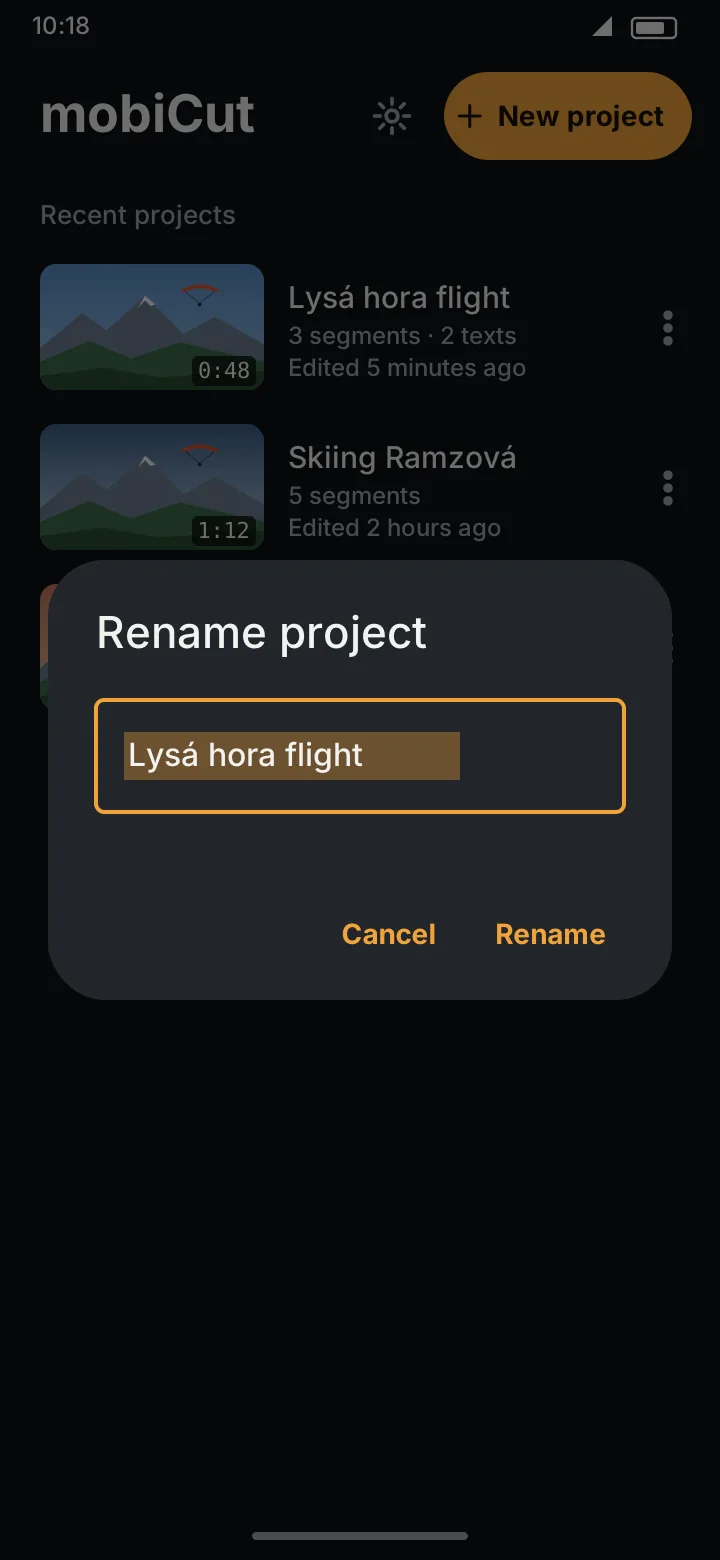
- on the start screen, tap ⋮ → Rename, or
- in the editor, tap the project name at the top.
Type the new name and tap Rename.
Delete a project
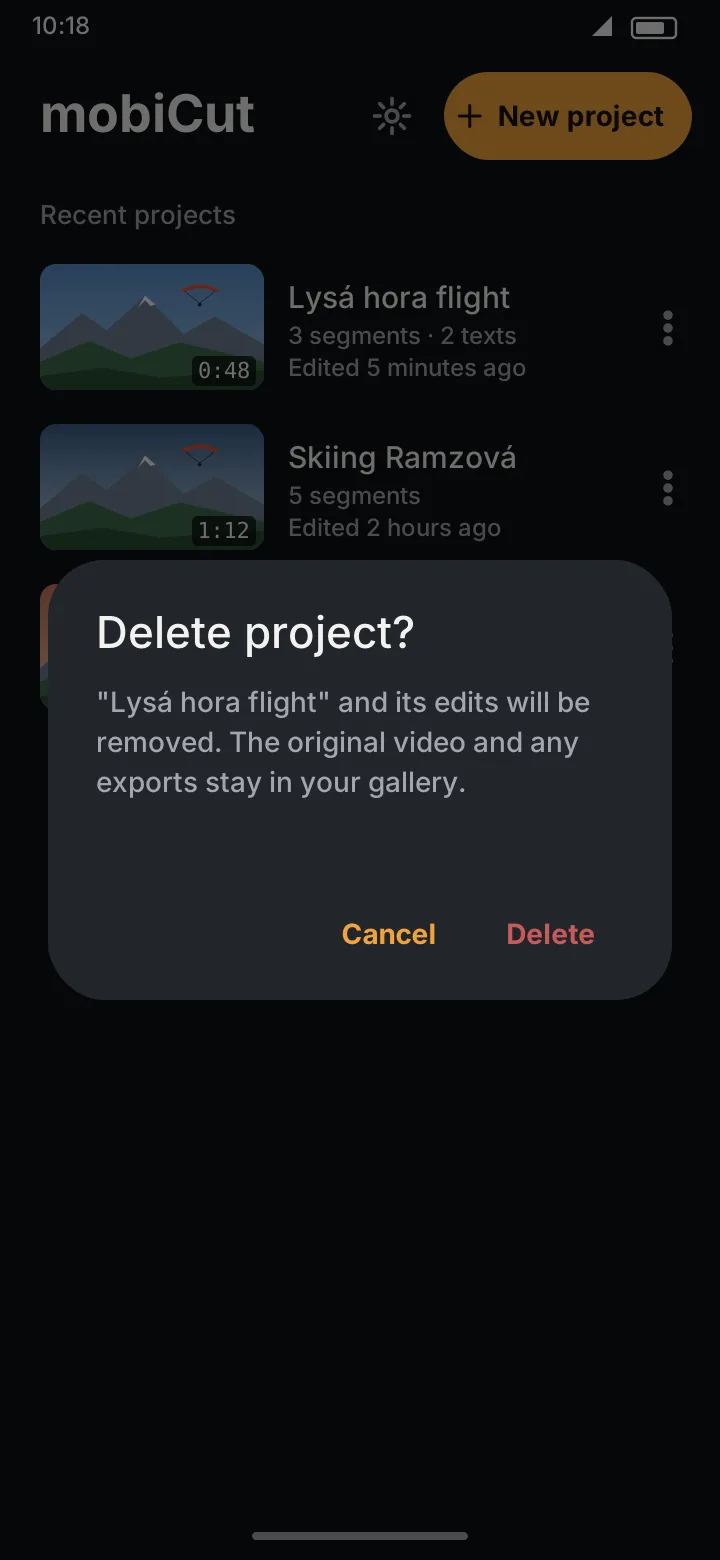
Tap ⋮ → Delete and confirm. This removes only the project (your edits). The original video and anything you exported stay in your gallery.
Where things are kept
| What | Where |
|---|---|
| Your edits | Inside the app, and in your Google backup. Kept over an uninstall if you tick Keep app data (see Uninstalling). |
| Original video | Where it was. mobiCut only links to it: it never copies, downloads or uploads it. |
| Exported videos | Movies/MobiCut (shows up in the gallery) |
If the original video is moved or deleted, see Missing video.