 mobiCut
Docs › Get started
When the video is missing
A project doesn't copy the video, it links to it. If the original is moved, renamed, deleted, or was on an SD card or camera that is now unplugged, the editor shows this instead of the preview:
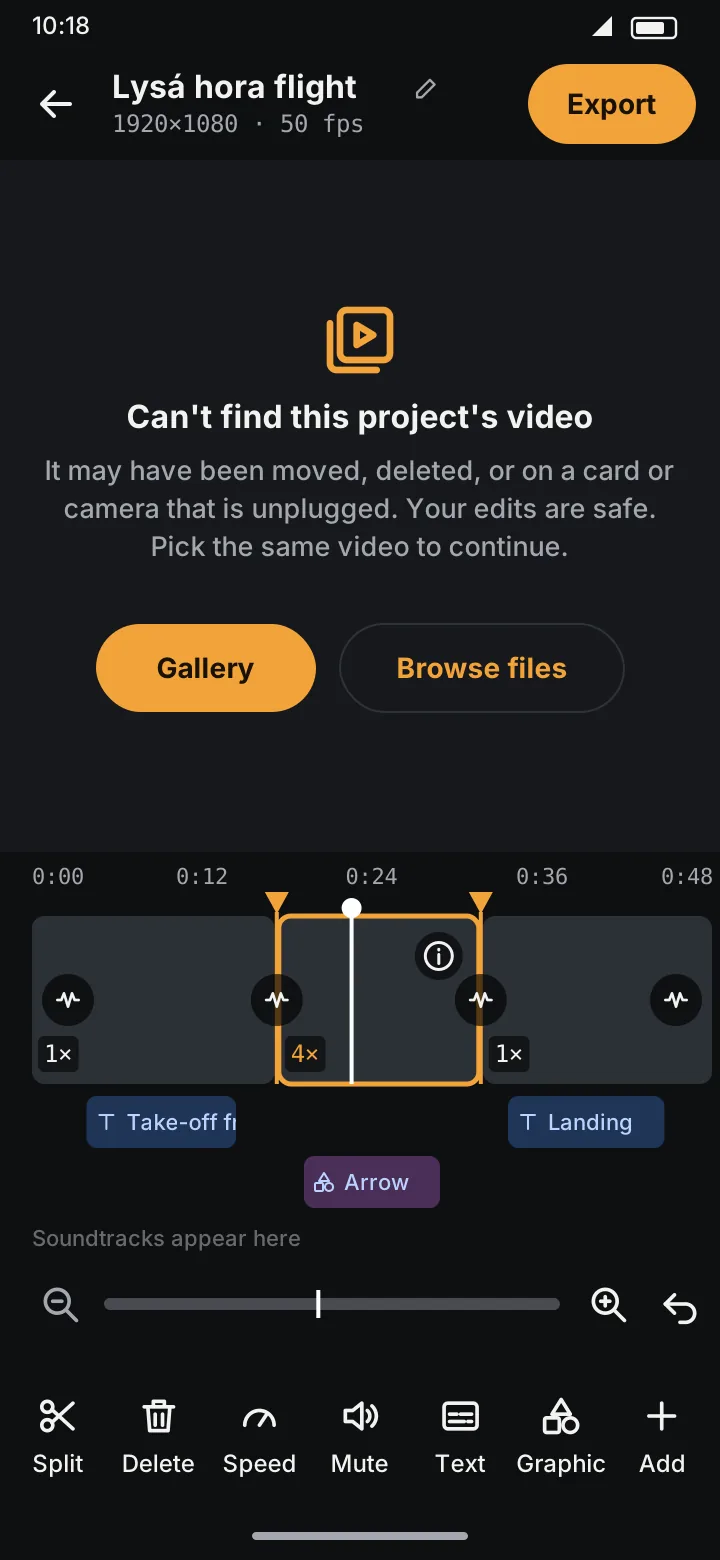
Your edits are safe. To continue:
- Plug the card or camera back in, or find where the video went.
- Tap Gallery or Browse files and pick the same video.
mobiCut checks that the video has the same length as the original, so all splits, speeds and texts still line up. Until it's found, Export is disabled.