 mobiCut
Docs › Finish and share
Tablets and landscape
mobiCut is built for editing on a phone held upright, so on a phone the screen stays in portrait: turning the phone sideways doesn't rotate the editor.
On a tablet (and an unfolded foldable or a Chromebook) the app turns with the screen. Held sideways, the editor rearranges itself so the preview is as big as possible:
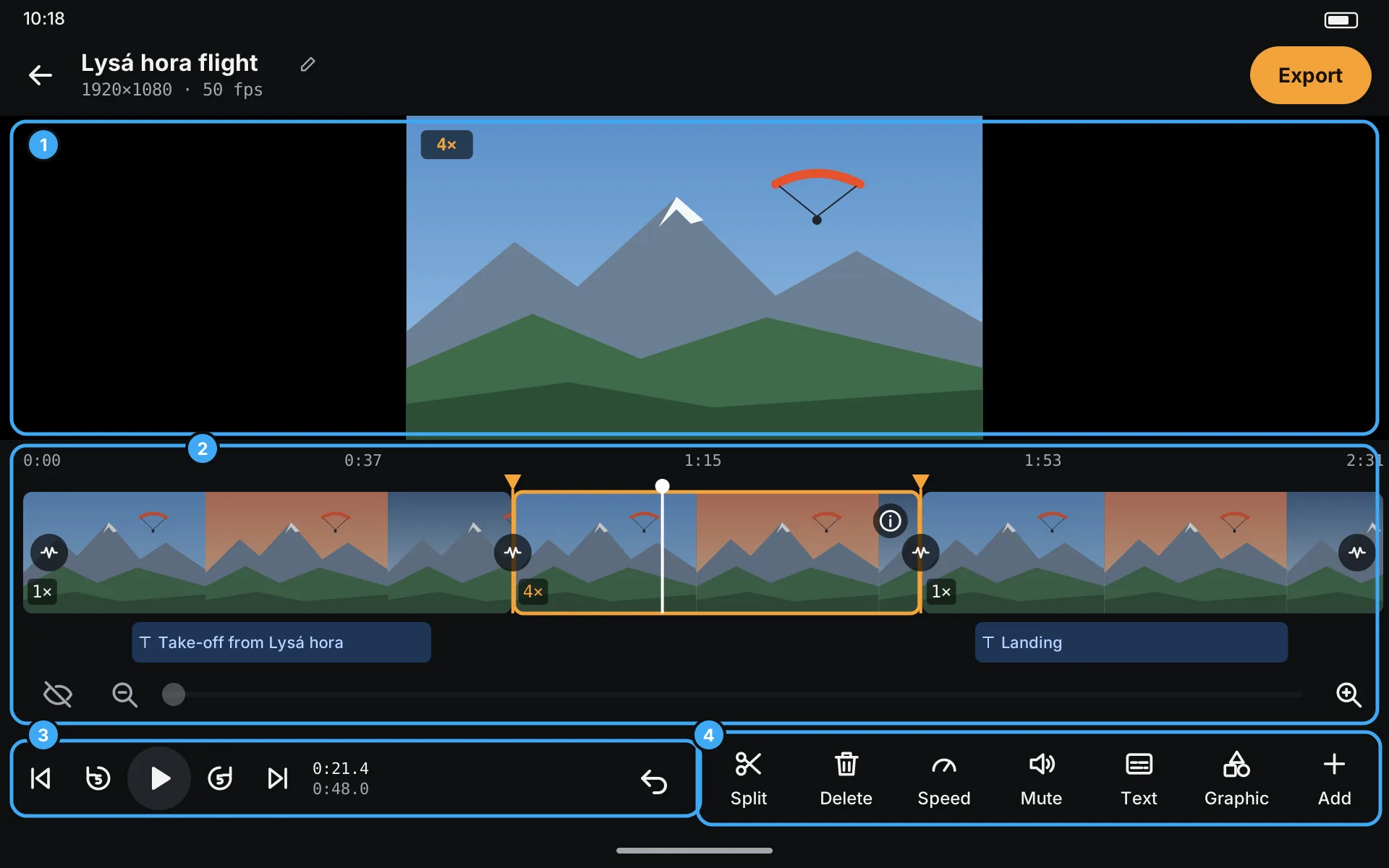
- Preview across the full width, using all the height above the timeline.
- Timeline, overlay track and zoom row, as on the phone, just wider: easier to place a split precisely.
- Play / pause, the jump buttons, the times and ↶ Undo, at the bottom left.
- Tools (Split, Delete, Speed, Mute, Text, Graphic, Add), at the bottom right, so both thumbs reach everything while you hold the tablet in both hands.
Everything works exactly as described on the other pages; only the places change.
Editing a text sideways
When you tap a text or a graphic, its editor opens beside the preview instead of under it, so the video stays big while you type and place it:
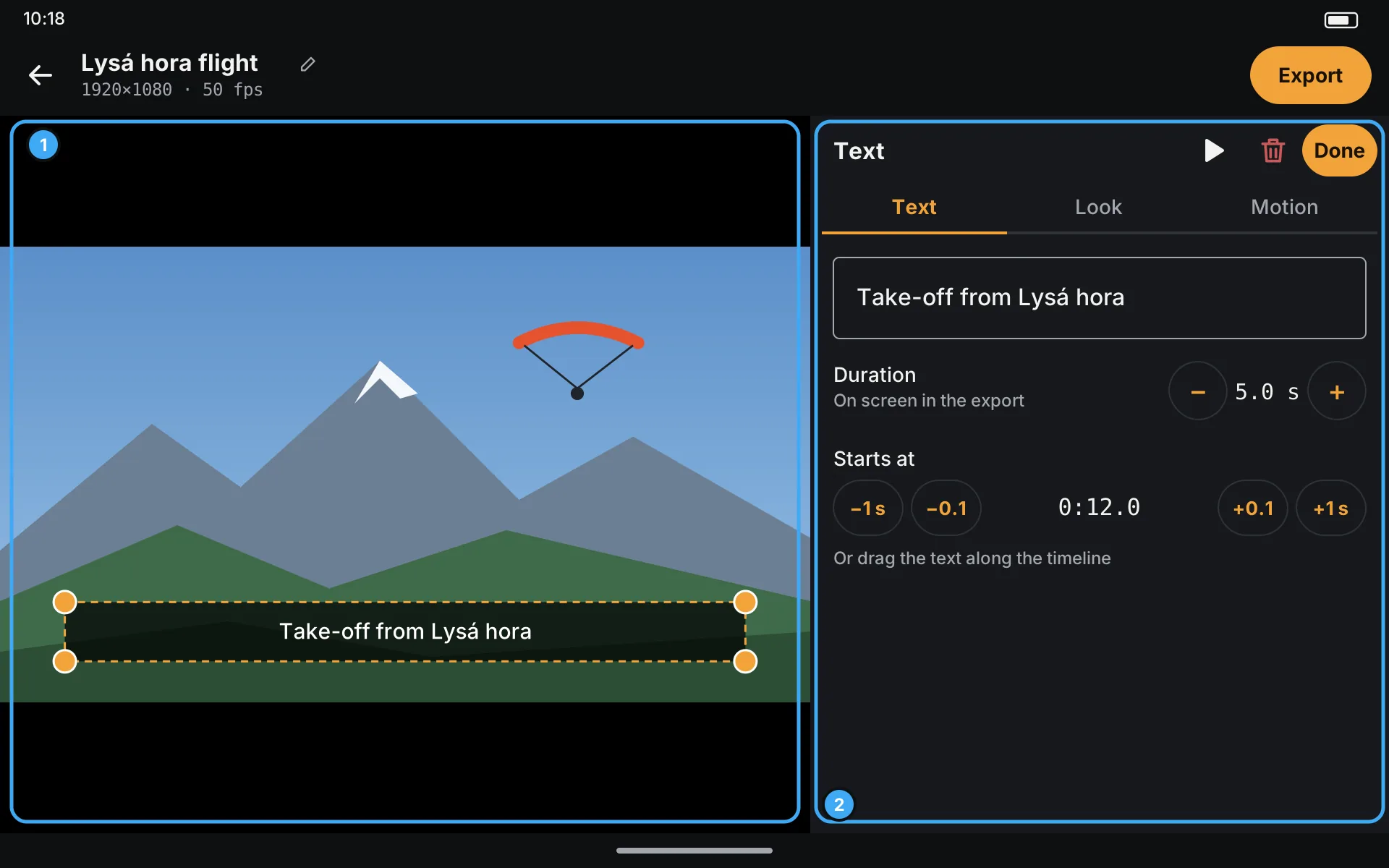
- Preview: drag the text to move it, the corners to resize it.
- Text panel with the Text, Look and Motion tabs and Done. See Texts.
Upright, a tablet shows the same layout as a phone.