 mobiCut
Docs › Build a story
Text slides
A full-screen title card between parts of the video: the name of the flight at the start, Day 2 in the middle, Thanks for watching at the end. mobiCut draws it from a template in your colours; it becomes a segment of its own, like a picture.
Add a text slide
- Move the playhead to where the slide should go.
- Tap Add → Text slide at the pointer.
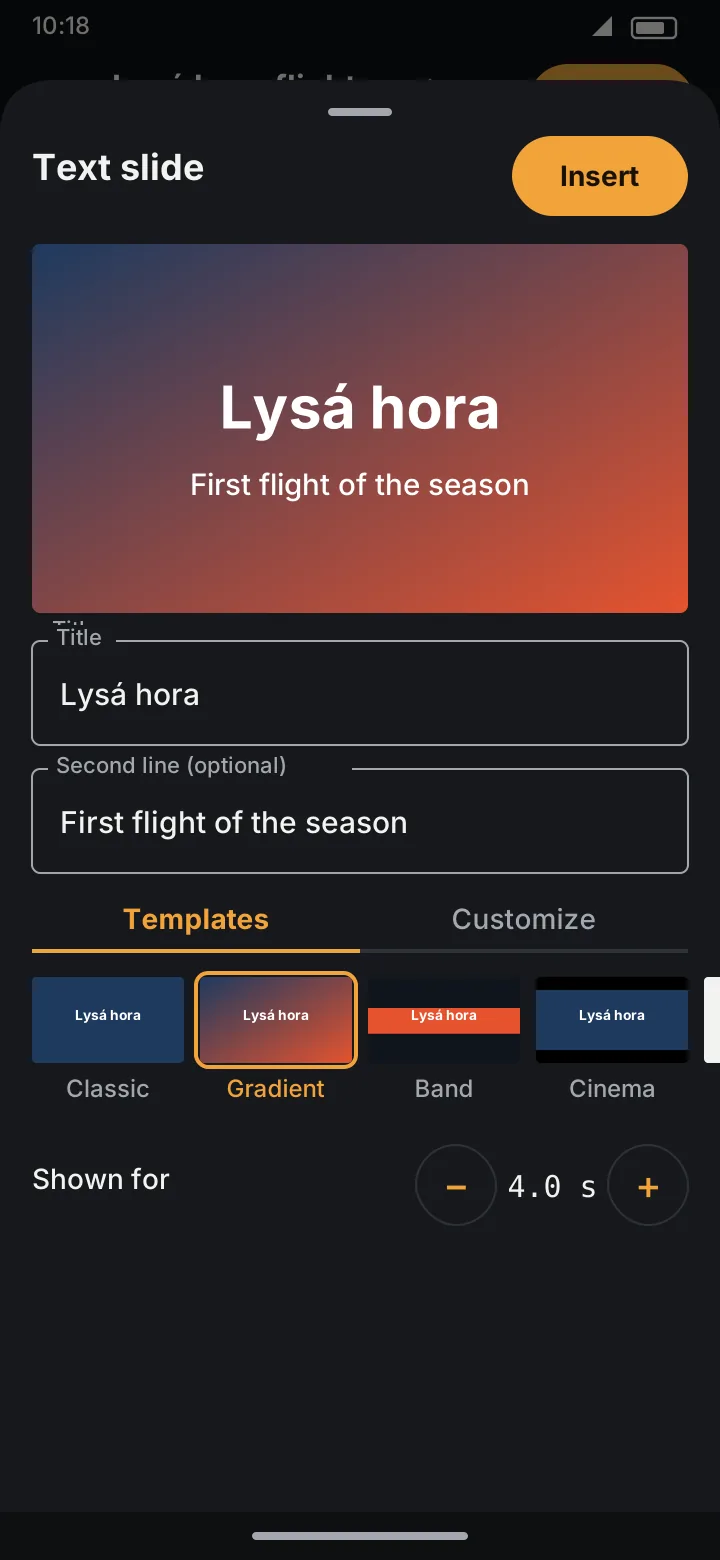
- Type the Title and, if you like, a Second line (optional).
- Pick a template, set how long it's Shown for, and tap Insert.
The video is split at the playhead and the slide goes in between. A new slide uses the design and duration of your last one.
Templates
Seven templates: Classic, Gradient, Band, Cinema, Minimal, Frame and Split. Each tile shows your own title in that design. The slide has the shape of the video (wide for a landscape video, tall for a portrait one), and everything on it scales with it.
Customize
The Customize tab changes the design by hand:
- Text position (a 3×3 grid) and Text size,
- Text colour,
- Font, with Bold, Capitals and Shadow,
- Background: Solid, Gradient ↓, Gradient ↘, Radial or Split, with its colours,
- Decoration: None, Underline, Band, Lines or Side bar.
Once you change something by hand the sheet says Customized. Tap a template to start over from it.
Shown for
− / + in half-second steps, from 0.5 s to 30 s (4 s to start with). After the slide has been split, its length is fixed and the sheet says so.
Edit or remove
Tap the (i) on the slide's segment to open its Segment info, then Edit text slide…. Change anything and tap Save, or Remove this slide.
A slide is a segment like any other: it can be deleted, split, get transitions on both sides, and have texts or graphics over it. Speed doesn't apply to it.
Text slides are free in both editions.